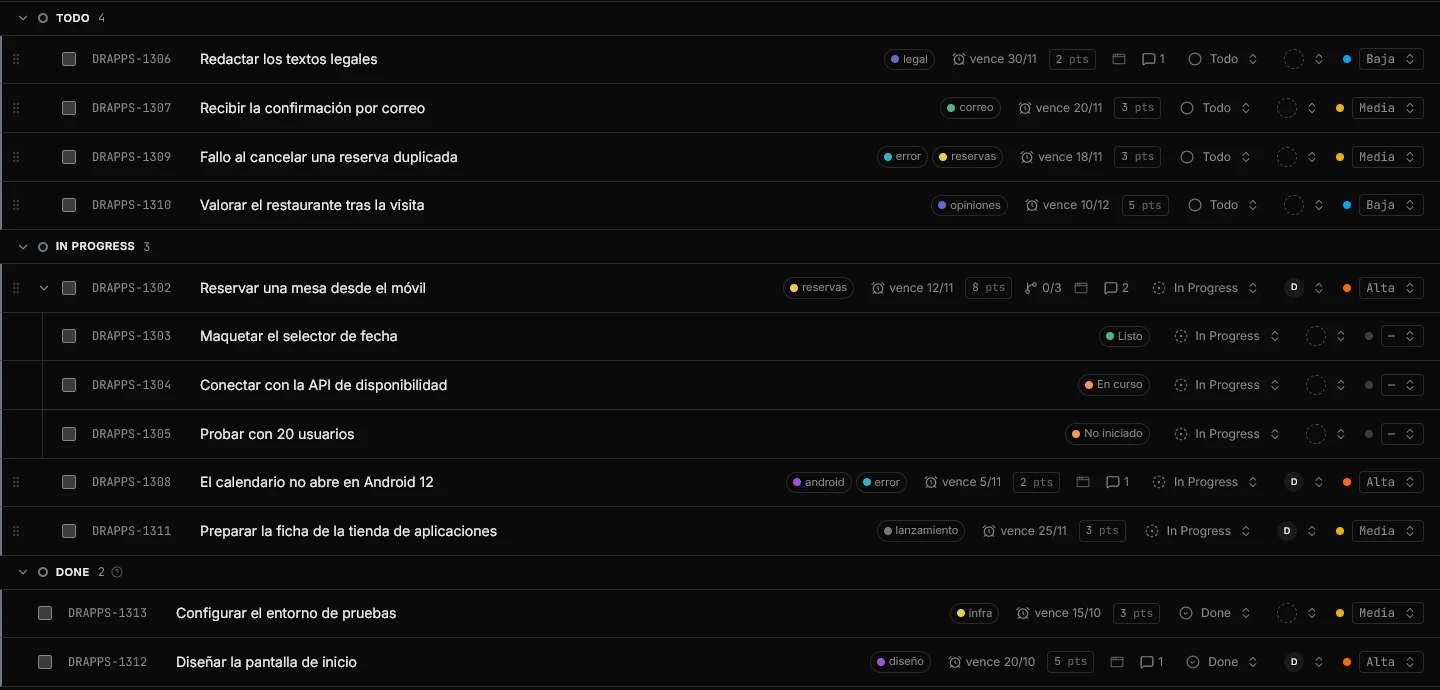
Hilbana brings in an entire monday board: the items and their subitems, the status (whether you keep it in groups or in a column), people matched by email, dates, labels and updates as comments with their original dates. Before anything is written you see what will come in and what stays behind, and if you don't like it, you undo it.
Group, or the status column you chooseWorkflow state, per the mapping you confirm
ItemIssue
SubitemSub-task, under its parent
Long text columnsDescription, in markdown
People columnAssignee, matched by email
Date or timeline columnDue date
«Priority» columnPriority (High, Medium, Low…)
Numeric points or estimate columnEstimate
Dropdown, tags and other status columnsLabels; missing ones are created
UpdatesComments, with their author and original date
How it works
1
Get your personal token in monday
In monday click your avatar (bottom left) → Developers → My access token. There is no app to register. The importer sees exactly the boards you see with that token; if you work in several accounts, create it in the account of the board you want to bring. We store it encrypted and never show it back.
2
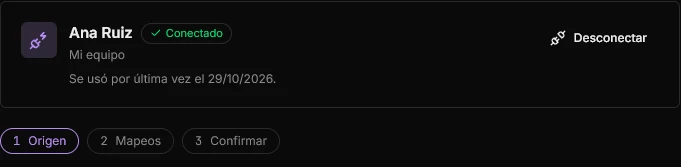
Connect monday in Settings → Import
You need to be the workspace owner. Pick monday as the source and paste the token. The importer only reads: it writes nothing to monday, and you remove it with Disconnect or by revoking the token in monday.
3
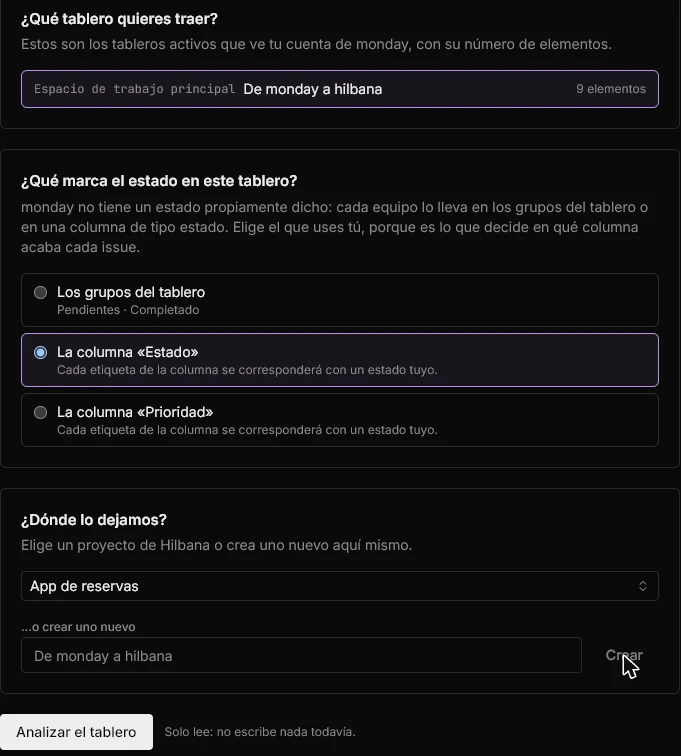
Choose the board and where you keep status
A monday board, with its item count, and the destination project in Hilbana: an existing one or a new one. Before analyzing you choose whether your team keeps status in the board's groups or in a status column, with your groups and columns in view.
4
Analyze
A read-only preview: it tells you how many items, comments, labels and people there are, what will be dropped, and proposes the mappings.
5
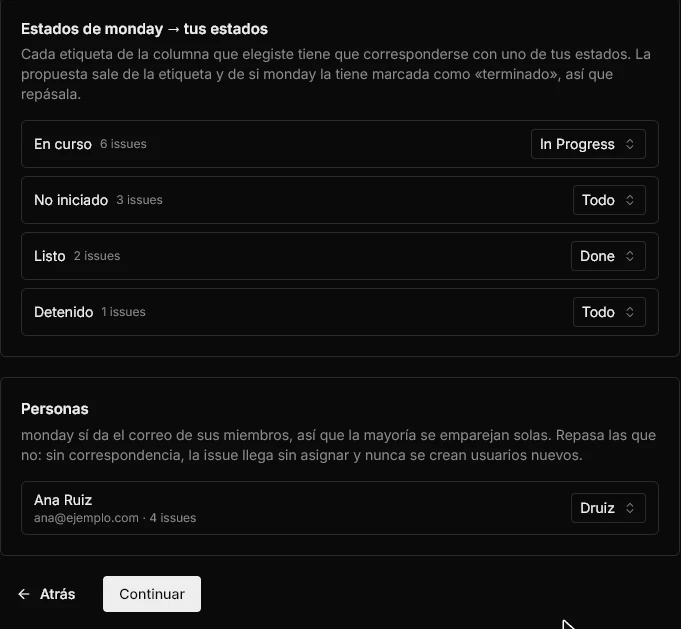
Confirm statuses and people
Each monday group or status maps to one of yours, with the proposal already filled in. An unassigned one blocks the import: no issue lands in a guessed state. Subitems inherit their parent item's state. monday does give people's email, so most match on their own; an item with several people keeps the first, and new users are never created.
6
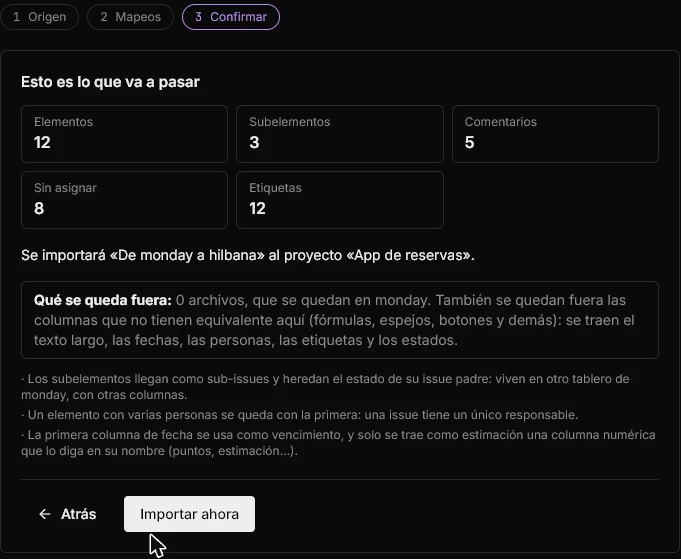
Review and run
The last step repeats the numbers and says what stays out. Only then does it write. A large board takes a while and you see the progress.
And this is how it ends up
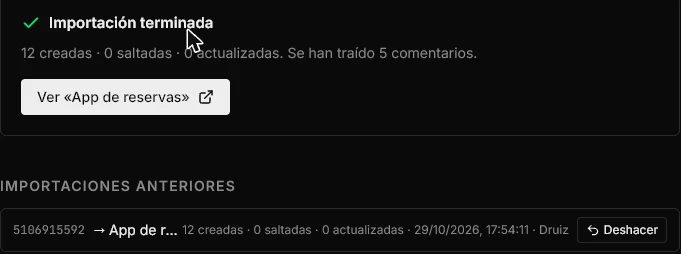
When it finishes you see a summary of what was created and, under Previous imports, the run with its Undo button. Issues land in the project you chose with their hierarchy, labels, statuses, dates, points and comment count.
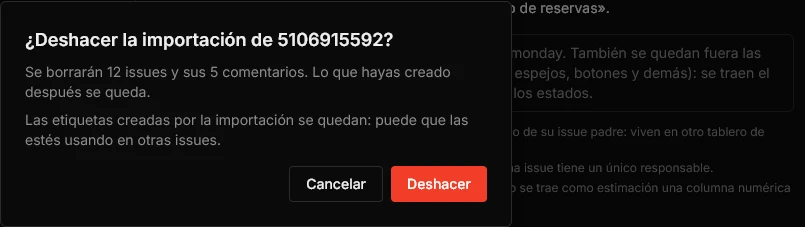
With an undo
The analysis only reads: nothing is created in Hilbana until the last step.
Repeating it doesn't duplicate. Hilbana remembers which monday item each issue came from and skips those already there. If you tick «Update the ones you already imported», they are refreshed from monday, which overwrites what you changed in Hilbana since.
Every run has Undo in the history: it deletes the issues and comments of that run, and tells you how many first. Labels stay.
It is a one-off move, not a sync: what you change on one side doesn't travel to the other.
Good to know
It is on every plan, Free included, and you need to be the workspace owner.
On Free, 200 issues come in per import: the confirmation step tells you how many are left out. Paid plans have no cap.
If the board has several date columns, the first is used as the due date. Only a numeric column that says so in its name (points, estimate, story points) comes across as an estimate, not just any number.
Imported issues get their own Hilbana identifier, not the monday one.
Can't see the token option?
If My access token doesn't appear in your monday menu, your administrator has tokens restricted: ask them. In the meantime, with the Hilbana MCP connected your agent can read a board you can see and create the issues. How to connect your agent.
monday and Hilbana, no spin
Stay on monday if…
Your team is business, marketing or operations and lives on its templates, forms and dashboards.
You depend on its automations and integrations, or on columns such as formulas and mirrors, which are not imported.
You mostly work in calendar or timeline views, which don't travel either.
Hilbana fits if…
Your team works with AI agents and you want them to read and write in the tracker over MCP, and to remember what they learned between sessions.
You run development work, with issues, sub-tasks and cycles, and a board built for that.
You want to try it with no risk: the import is free, doesn't touch your monday and can be undone.
If you're unsure, import one board and compare them side by side: your monday stays as it was.
Import one board and compare
Create your free account, connect monday and look at the preview. Nothing is written until you confirm.
We use necessary technical cookies and, only if you accept, Google cookies to measure our audience and how our campaigns perform. You can change your mind at any time.